
You can automate Royal Mail shipping using a shipping operations platform with automation capabilities, such as Zenstores. To get started, you'll need to connect either your Royal Mail Online Business Account (OBA) or your Royal Mail Click & Drop account.
This guide covers what Royal Mail shipping automation looks like in practice, how to set it up, and what you can expect to automate versus what still requires a manual decision.
What does automating Royal Mail shipping actually mean?
For most ecommerce brands, automating Royal Mail shipping means eliminating the manual steps that slow down dispatch, such as:
- Manually selecting the right Royal Mail service for each order (Tracked 24, Tracked 48, large letter, parcel etc.)
- Logging into Click & Drop or the Royal Mail portal separately to generate labels
- Copying tracking numbers back into your store or marketplace
- Completing customs forms manually for international Royal Mail shipments
A properly automated Royal Mail setup handles all of this automatically; orders import, the right service is assigned based on criteria you've set, labels are generated in bulk, and tracking is pushed back to your sales channels without you touching anything.
How to automate Royal Mail shipping with Zenstores
Zenstores is an approved Royal Mail partner, integrating directly with your Royal Mail account to automate the full dispatch workflow.
Our team works with you to connect your account and configure your automation and most brands are up and running within days. Here's what the setup covers:
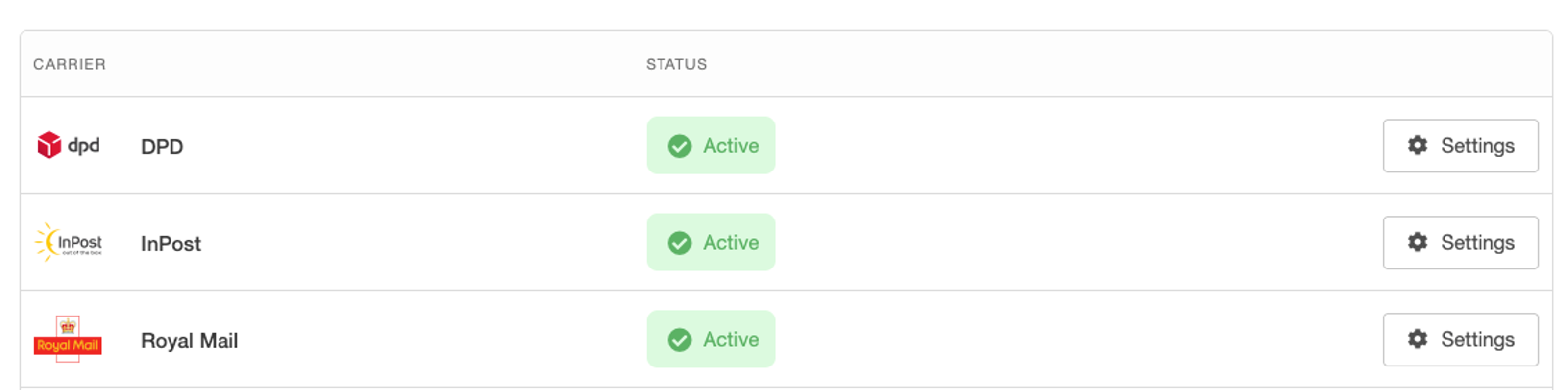
Step 1: Connect your Royal Mail account to Zenstores
Zenstores connects directly to your Royal Mail OBA with a few clicks, giving you access to all Royal Mail services, domestic and international. If you're currently using Click & Drop and don’t have an OBA, our team can help you find the right setup.
Step 2: Set up your automation
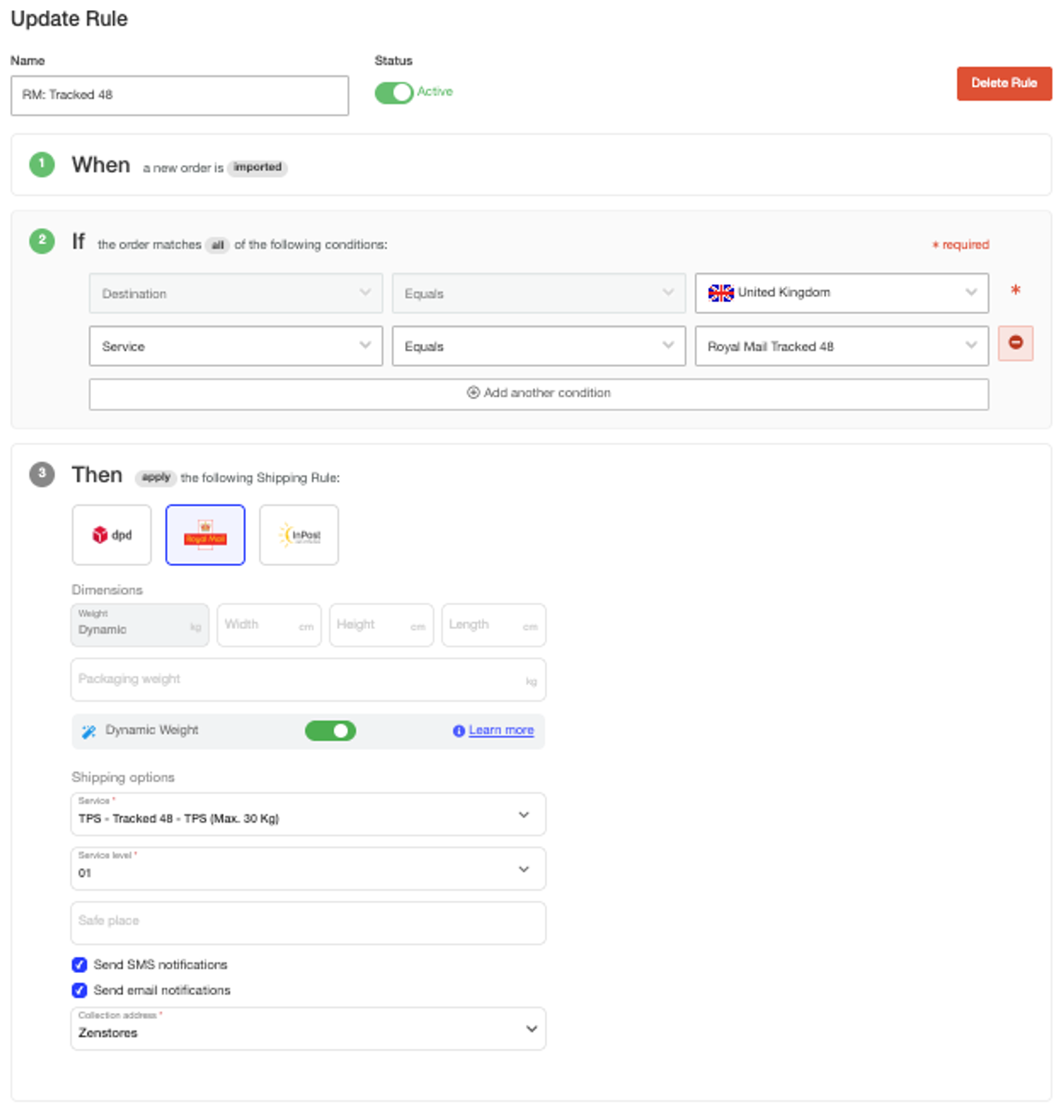
Build Shipping Rules that automatically assign the right Royal Mail service to each order based on weight, order value, product type, destination, or any other criteria. Rules run the moment orders import, no manual intervention required.
Step 3: Print labels in bulk
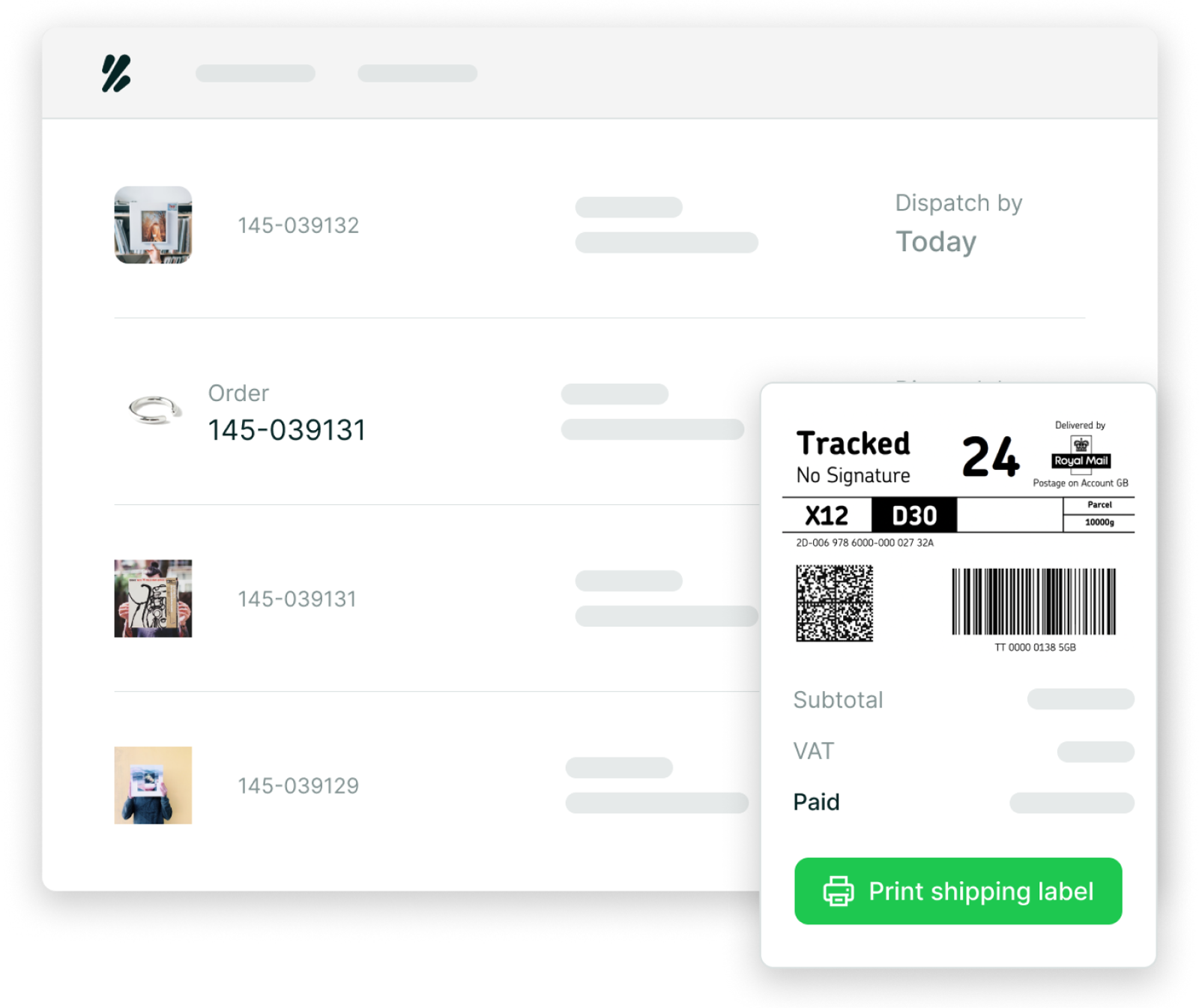
Once your orders have been processed, generate Royal Mail compliant labels in bulk with one click. Labels print alongside any other carriers you use, so no need for switching between systems.
What can you automate with Royal Mail shipping?
Here are some examples of the kind of automation you can set up once you have connected Royal Mail to Zenstores:
- Orders under 100g → automatically assigned Royal Mail Tracked 48 Large Letter
- International orders → automatically assigned the correct Royal Mail international service with customs data generated
- Next-day orders → automatically assigned Royal Mail Tracked 24
Once your automation is configured, every order that matches your criteria is processed automatically. No manual selection, no checking service codes, no second-guessing.
What to look for in a Royal Mail automation tool
Royal Mail offers a wide range of services – Tracked 24, Tracked 48, international and more. A shipping operations platform with the right automation capabilities should handle that complexity without manual workarounds. Here's what to look for when choosing one:
Does it connect directly to your Royal Mail account?
Look for a platform that connects directly to your Royal Mail account. This keeps your existing rates and services intact and gives you full visibility of your billing and account data.
Does it handle international Royal Mail shipments automatically? International automation is where manual processes tend to pile up – HS codes, customs forms, IOSS numbers. A good integration handles these automatically rather than flagging each international order for manual review.
Does it generate Royal Mail manifests? Royal Mail requires a daily manifest to close off your shipments. This should be generated automatically or with a single click – not manually compiled.
Does tracking sync back to your sales channels automatically? Manually copying tracking numbers back to Shopify, Amazon, or eBay is time-consuming and error-prone. Your automation tool should push tracking data back to every channel automatically.
Zenstores covers all of these as an approved Royal Mail partner, with a direct OBA integration built and managed in-house.
Frequently asked questions
How do I connect Royal Mail to Shopify for automated shipping? Connect your Royal Mail Online Business Account to Zenstores, then connect your Shopify store. Orders import automatically from Shopify into Zenstores, where shipping rules assign the correct Royal Mail service before bulk label printing and automatic tracking sync back to Shopify.
What is a Royal Mail OBA and do I need one to automate shipping? A Royal Mail Online Business Account (OBA) is a business account that gives you access to Royal Mail's full range of tracked and untracked services, along with online billing and reporting. You need an OBA to automate Royal Mail shipping through a platform like Zenstores.
Can I automatically assign different Royal Mail services to different order types? Yes. Zenstores shipping rules let you automatically assign Royal Mail Tracked 24, Tracked 48, large letter, parcel, or any other service based on weight, order value, destination, product type, or customer tags.
Does Zenstores handle Royal Mail international shipping automatically? Yes. Zenstores automates customs data, HS codes, and IOSS numbers for international Royal Mail shipments.
Does Zenstores generate Royal Mail manifests automatically? Yes. Zenstores generates your Royal Mail manifest in a few clicks at the end of each dispatch day.
Can I use Zenstores with Royal Mail Click & Drop?
Many brands start out with Click & Drop — if that's you, our team can advise on your options, including whether upgrading to a Royal Mail OBA makes sense for your volumes and automation needs. Read more about Zenstores Click & Drop →
Is Zenstores an approved Royal Mail partner? Yes. Zenstores is an approved Royal Mail partner, with a direct integration built and managed in-house.
How do I get started? Book a demo and our team will walk through your Royal Mail setup, order types, and the shipping rules that make sense for your business. Book a demo →
Ready to automate your Royal Mail shipping?
Zenstores connects directly to your Royal Mail OBA and handles rules, labels, manifests, and tracking automatically — so your team spends less time on dispatch and more time on growth.
